See Workkeeping in action
See exactly what your team will use every day. Real screenshots, real data, real workflows.
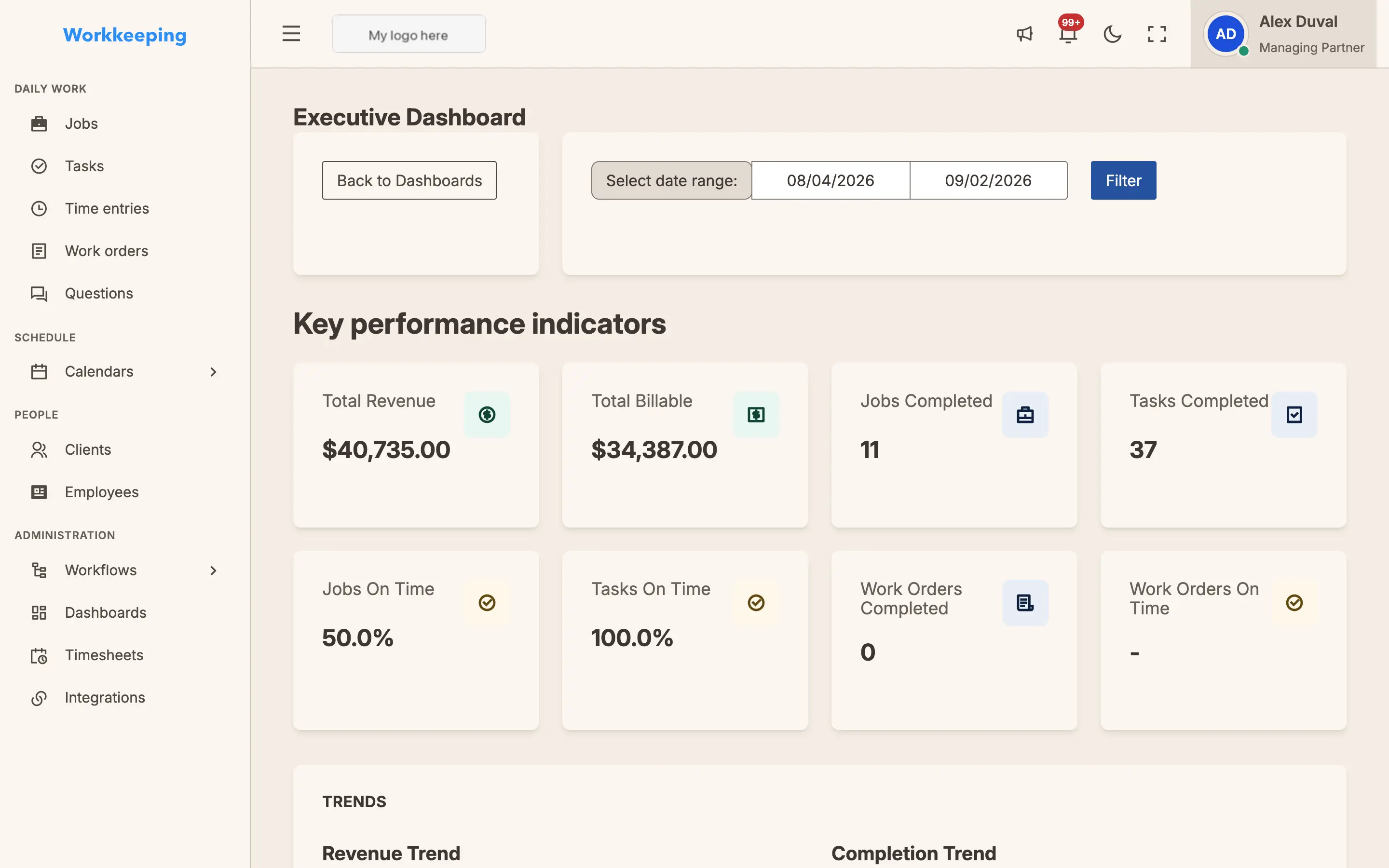
Track revenue, deadlines, and team workload at a glance. Every metric updates in real time as your team works.
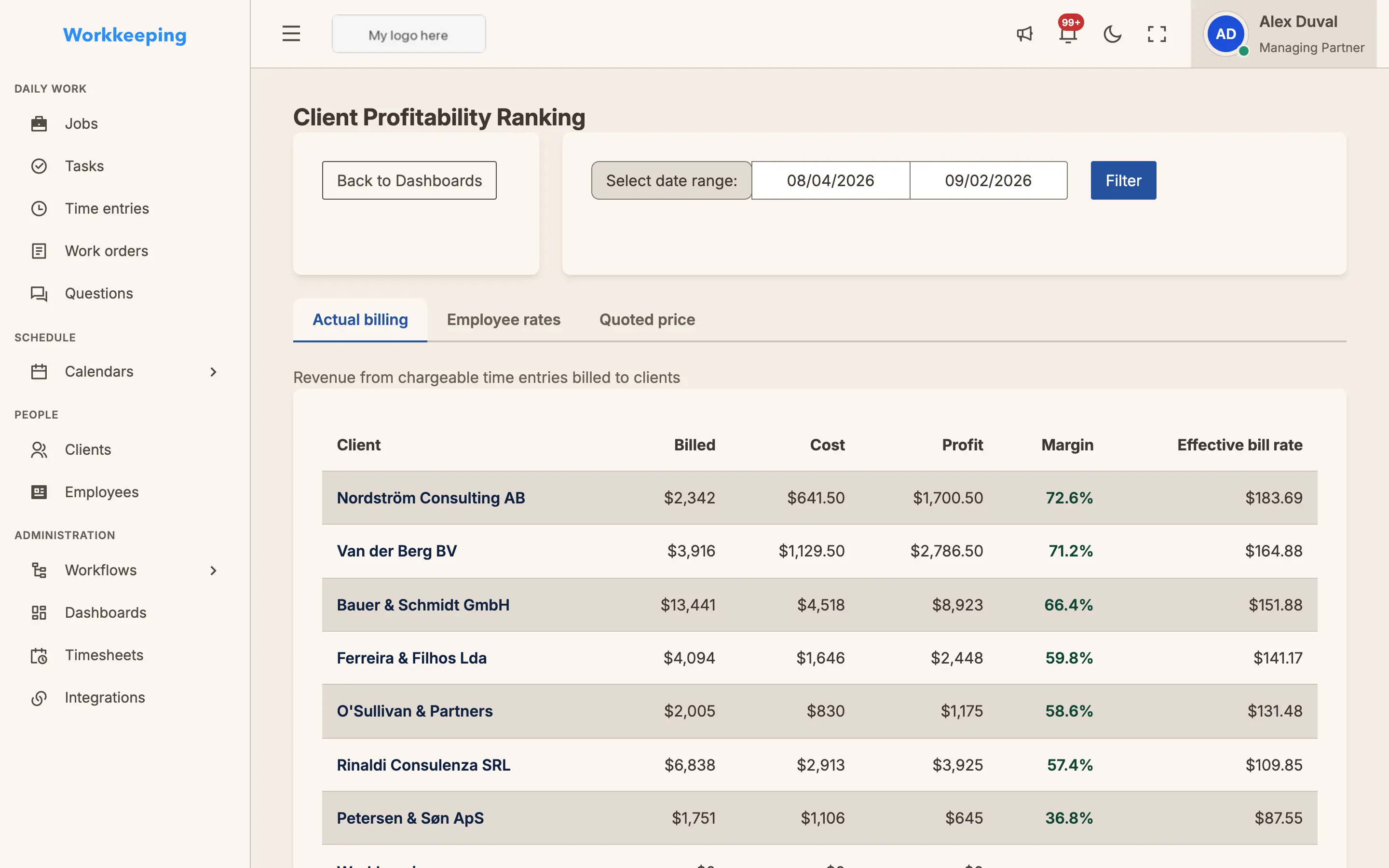
Client Profitability Ranking
See which clients generate the most revenue and profit. Compare margins across your portfolio and adjust pricing with confidence. Switch to Employee Rates to see profitability based on your team's hourly costs, or Quoted Price to compare against original job quotes.
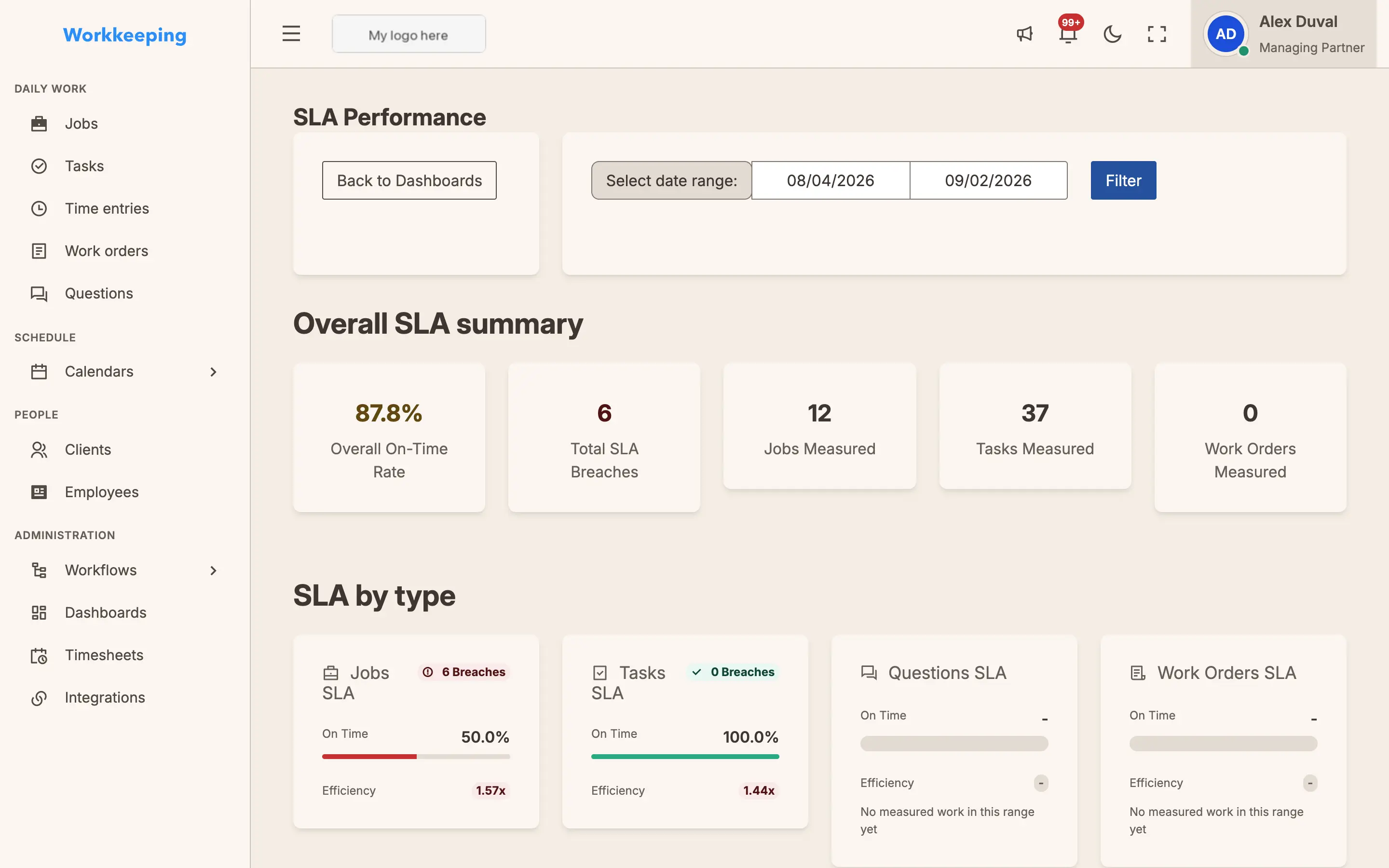
SLA Performance
Monitor on-time delivery, breach counts, and efficiency ratios. Know exactly how your firm performs against its commitments.
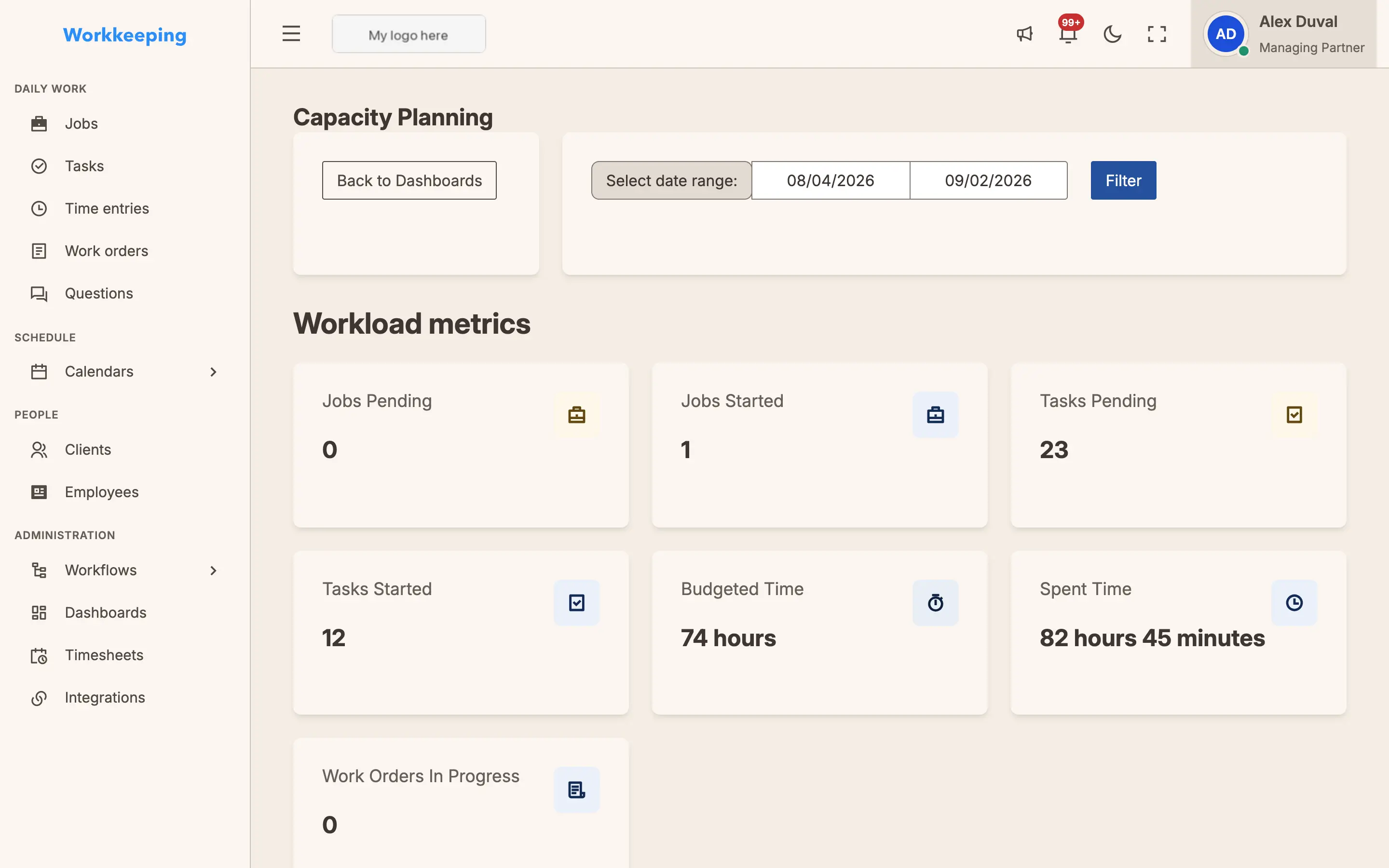
Capacity Planning
Track team utilization and forecast available capacity. Prevent overload before it leads to missed deadlines.
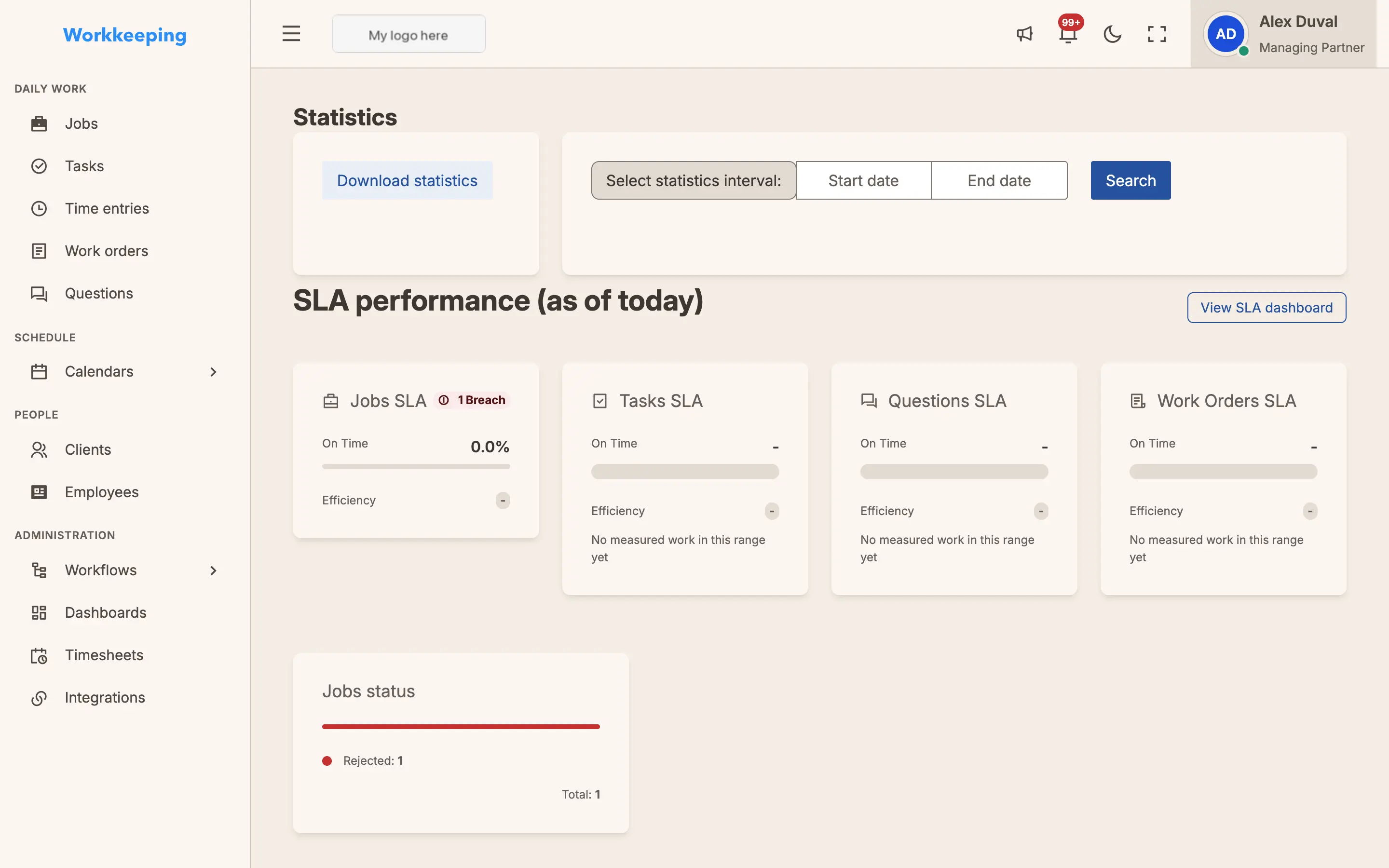
Firm performance, at a glance
Track every number that matters — completion rates, SLA performance, and team output — in one clean, scannable view. Spot the trend before it becomes a problem.
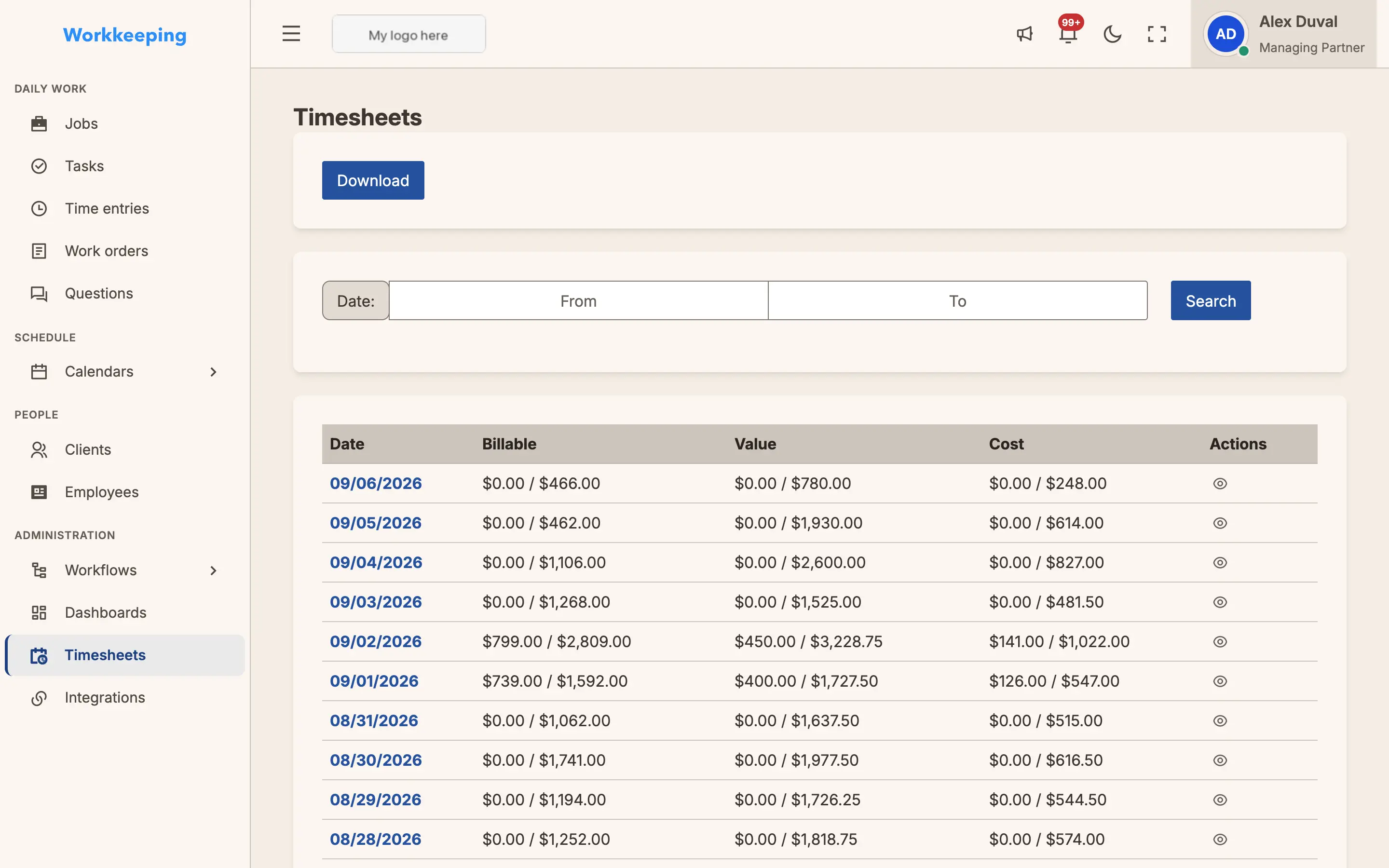
Timesheets, rolled up
See exactly where your team's hours go. Firm-wide timesheets roll up every entry so you can bill accurately, balance workloads, and never lose a billable minute.
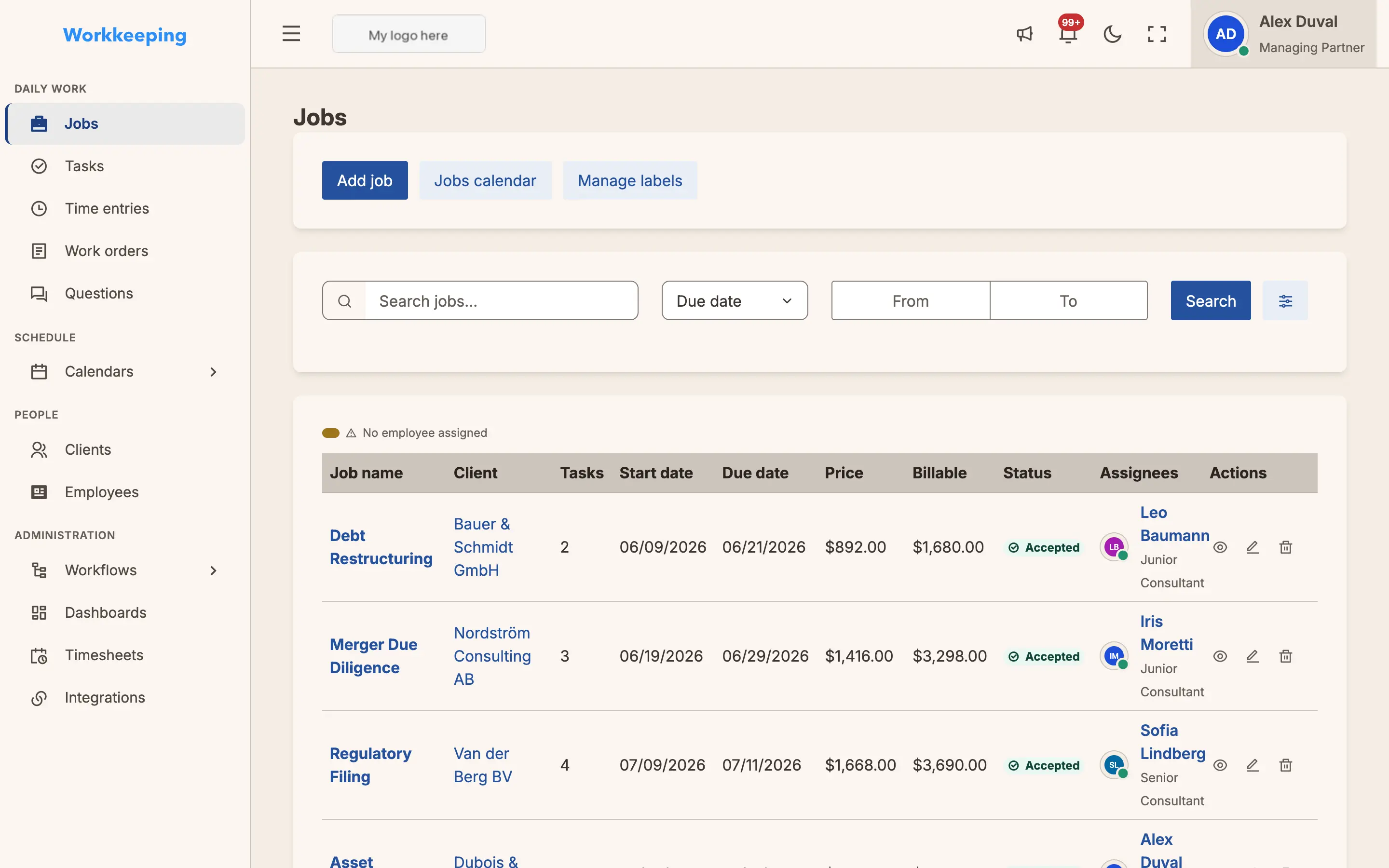
See every job your firm is working on. Filter by status, client, or team member. Click any job to see full details.
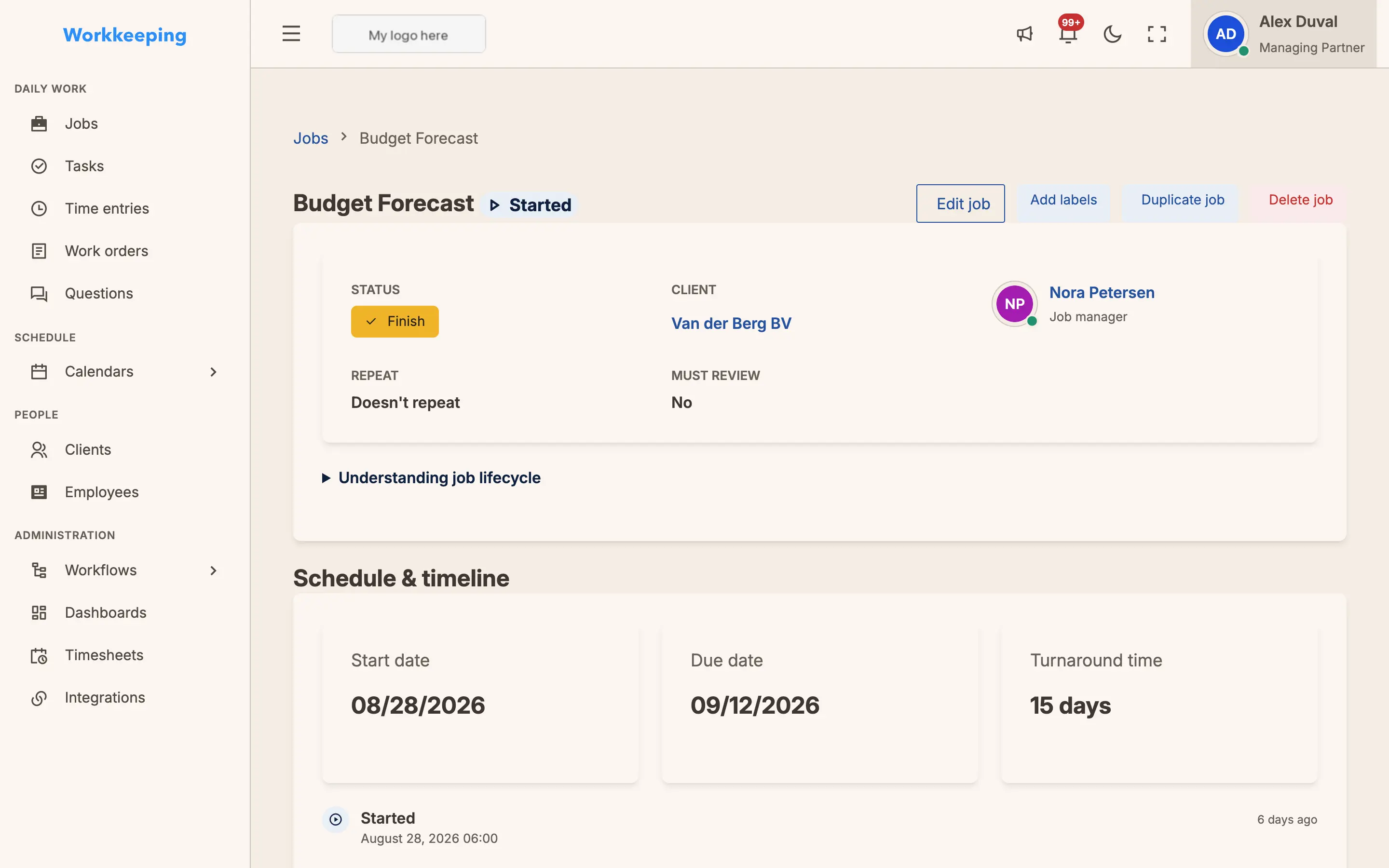
Full Job Detail
Click any job to see the full picture — tasks, timeline, financials, and team assignments. Everything in one place.
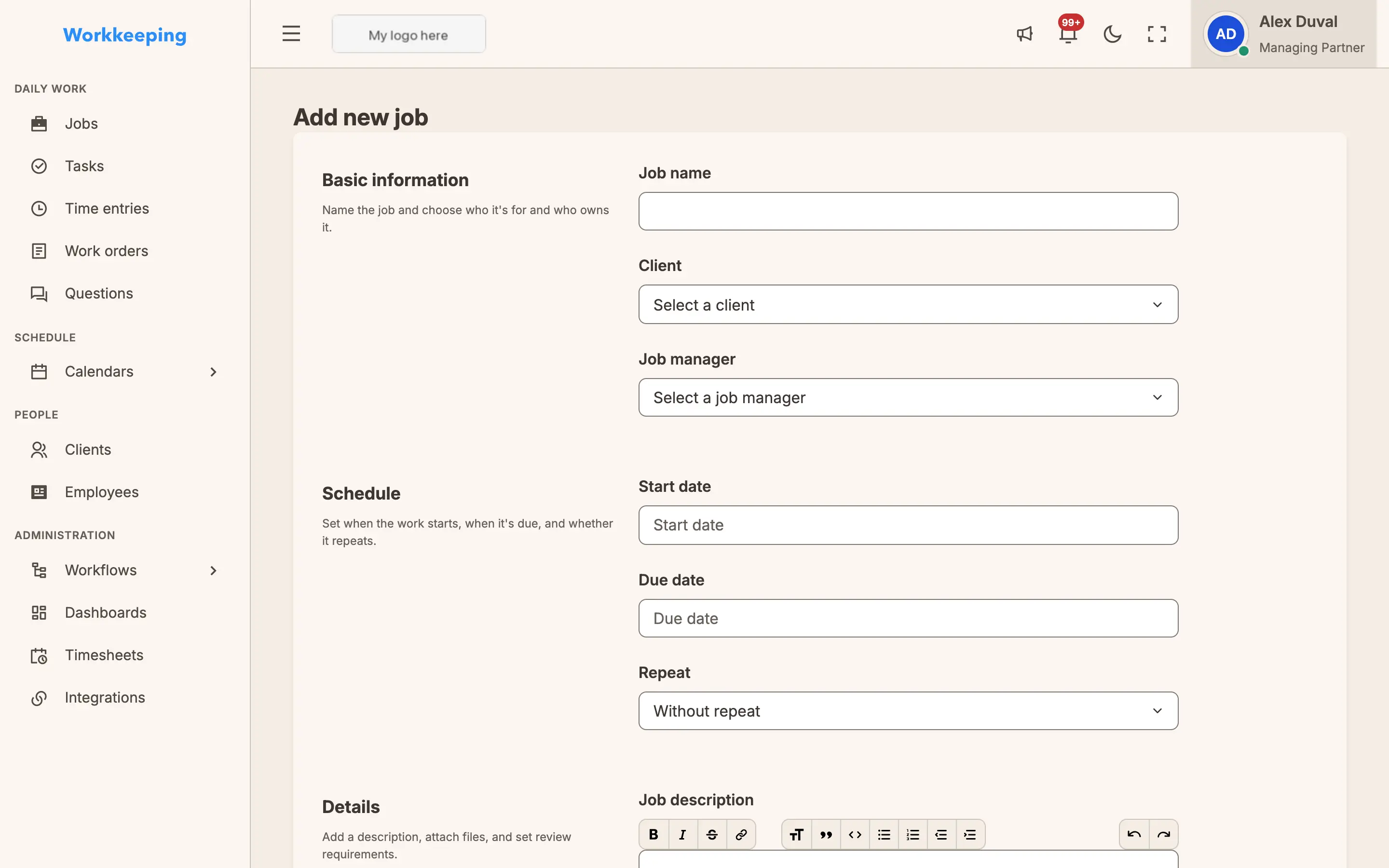
Create a job in seconds
A redesigned form guides you through every detail — client, deadline, budget, and team — in clean sections. No clutter, no guesswork, just fast and accurate job creation.
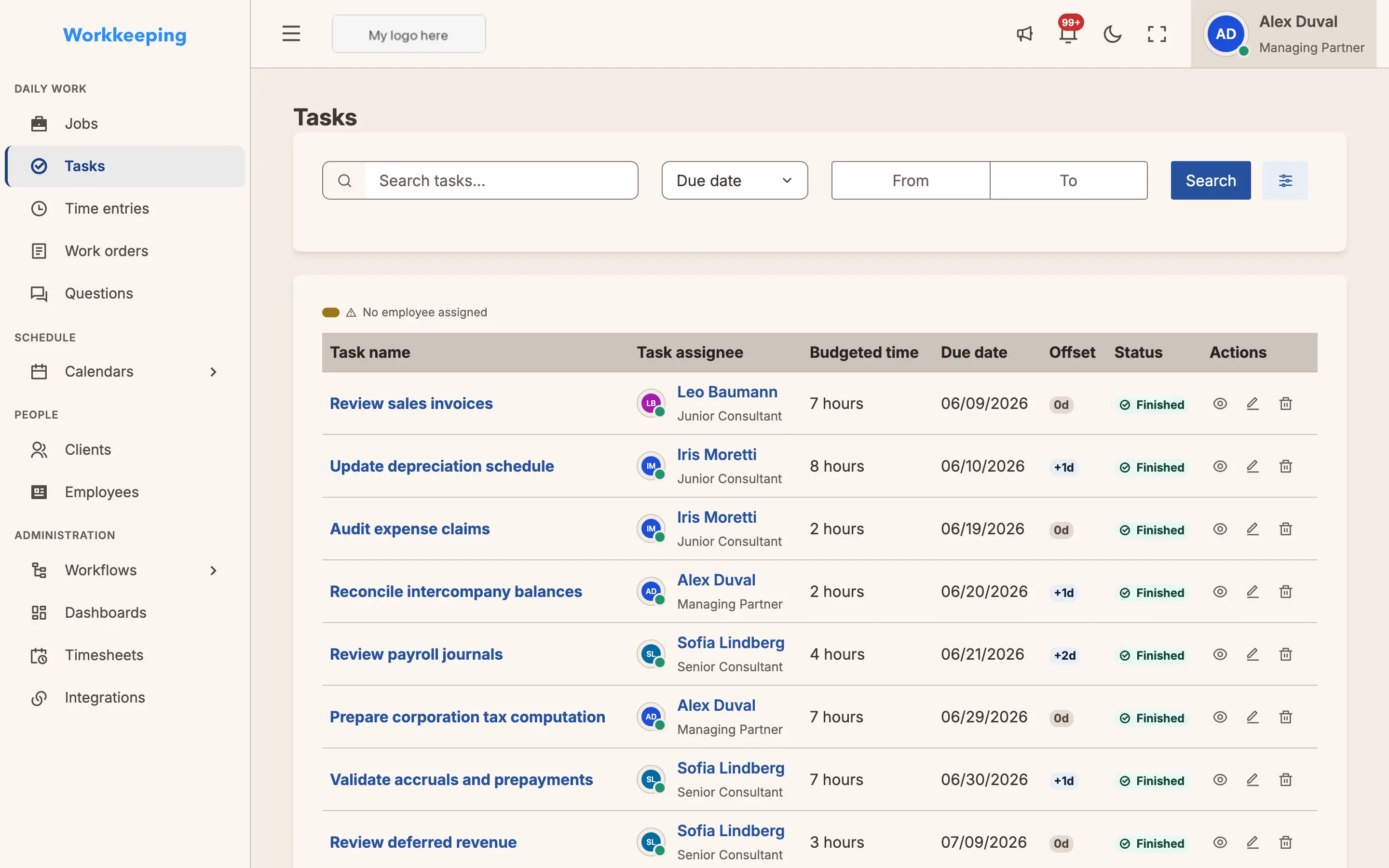
Every task, in view
Break work down to the task level and track it all in one place. Filter by assignee, status, or deadline so nothing slips through the cracks.
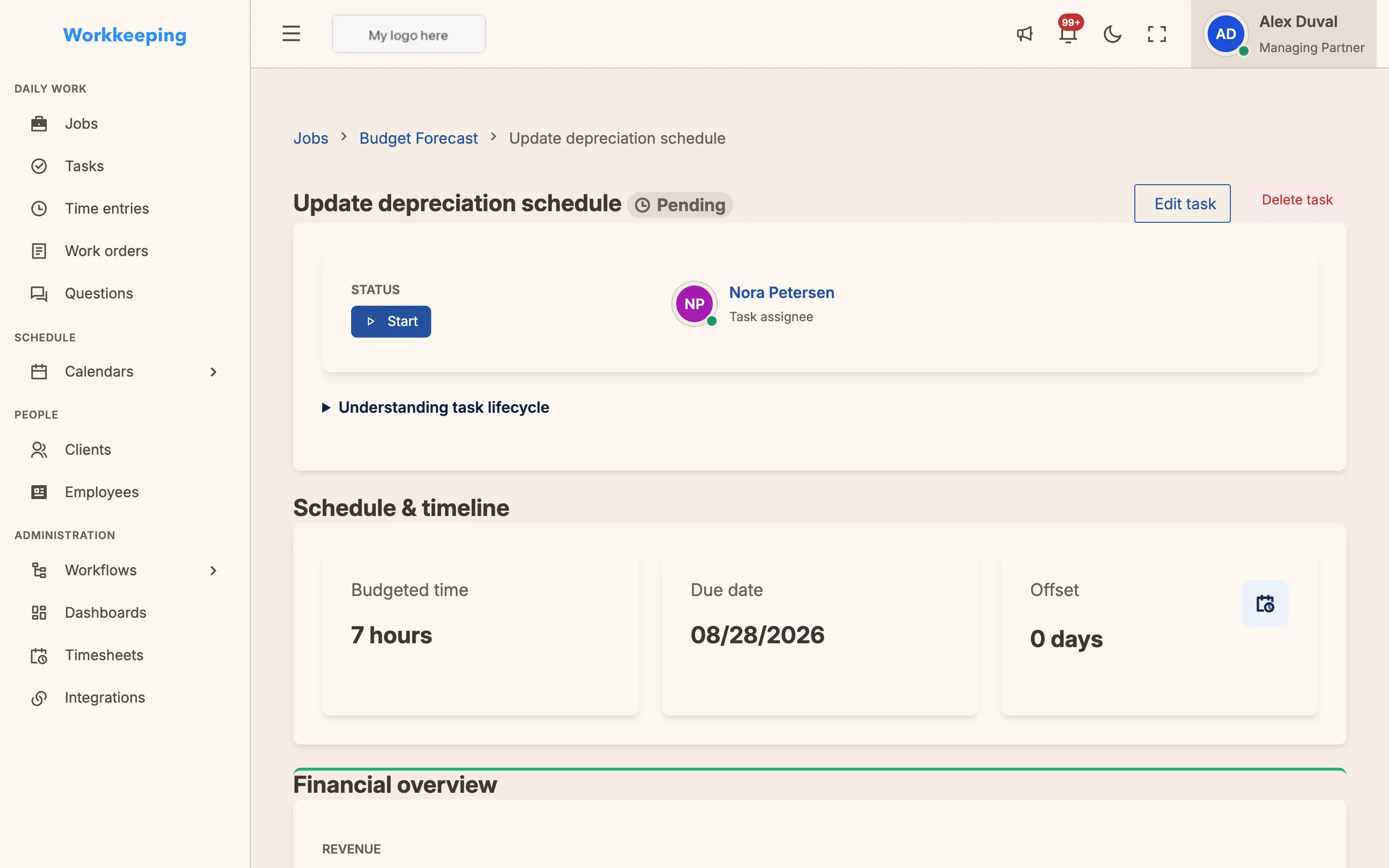
Task detail, done right
Drill into any task to log time, leave comments, attach files, and update status — the complete picture of a single piece of work, with zero noise.
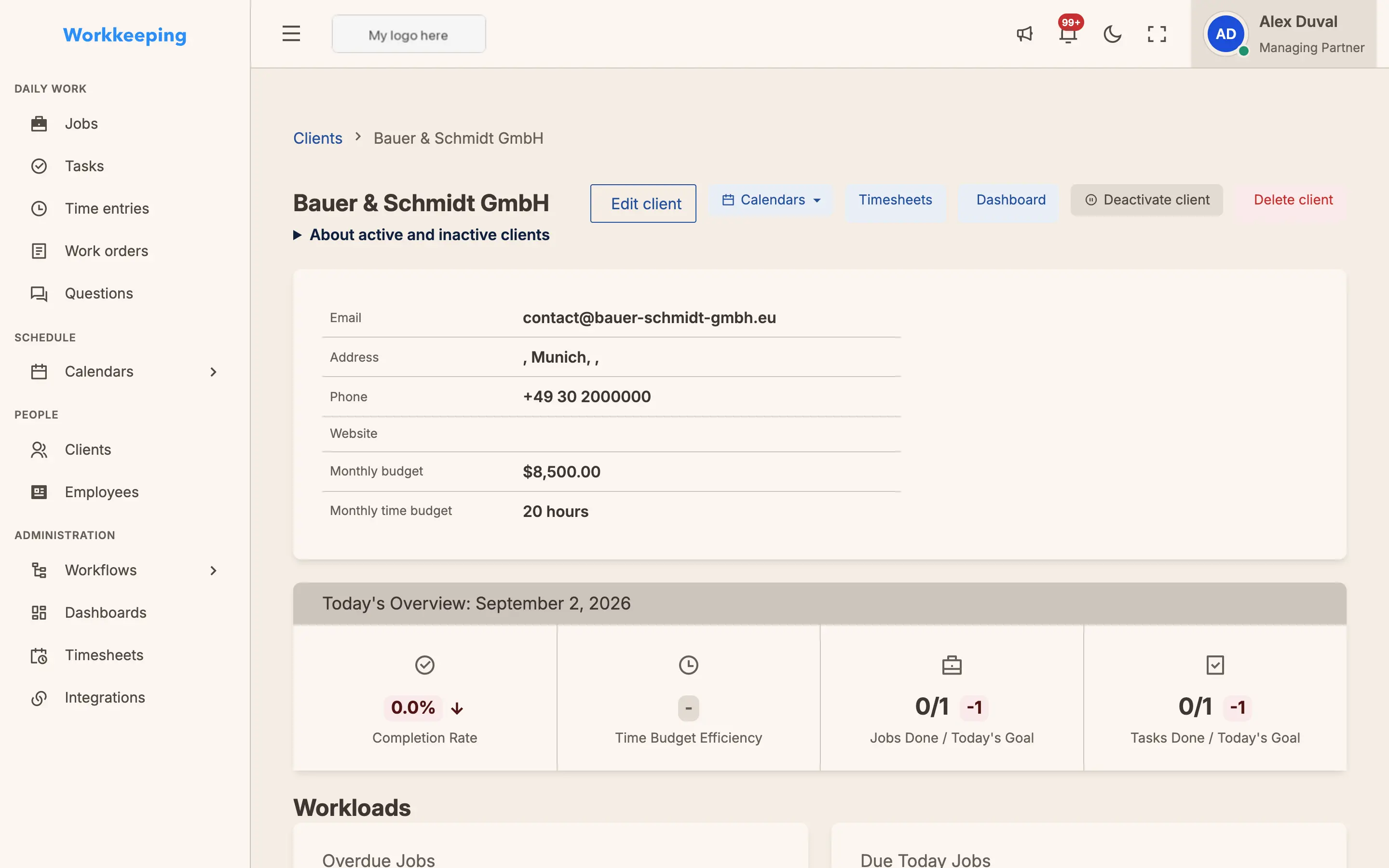
Everything about a client
Open any client to see the whole relationship — contacts, active jobs, history, and tags — on one page. Walk into every call knowing exactly where things stand.
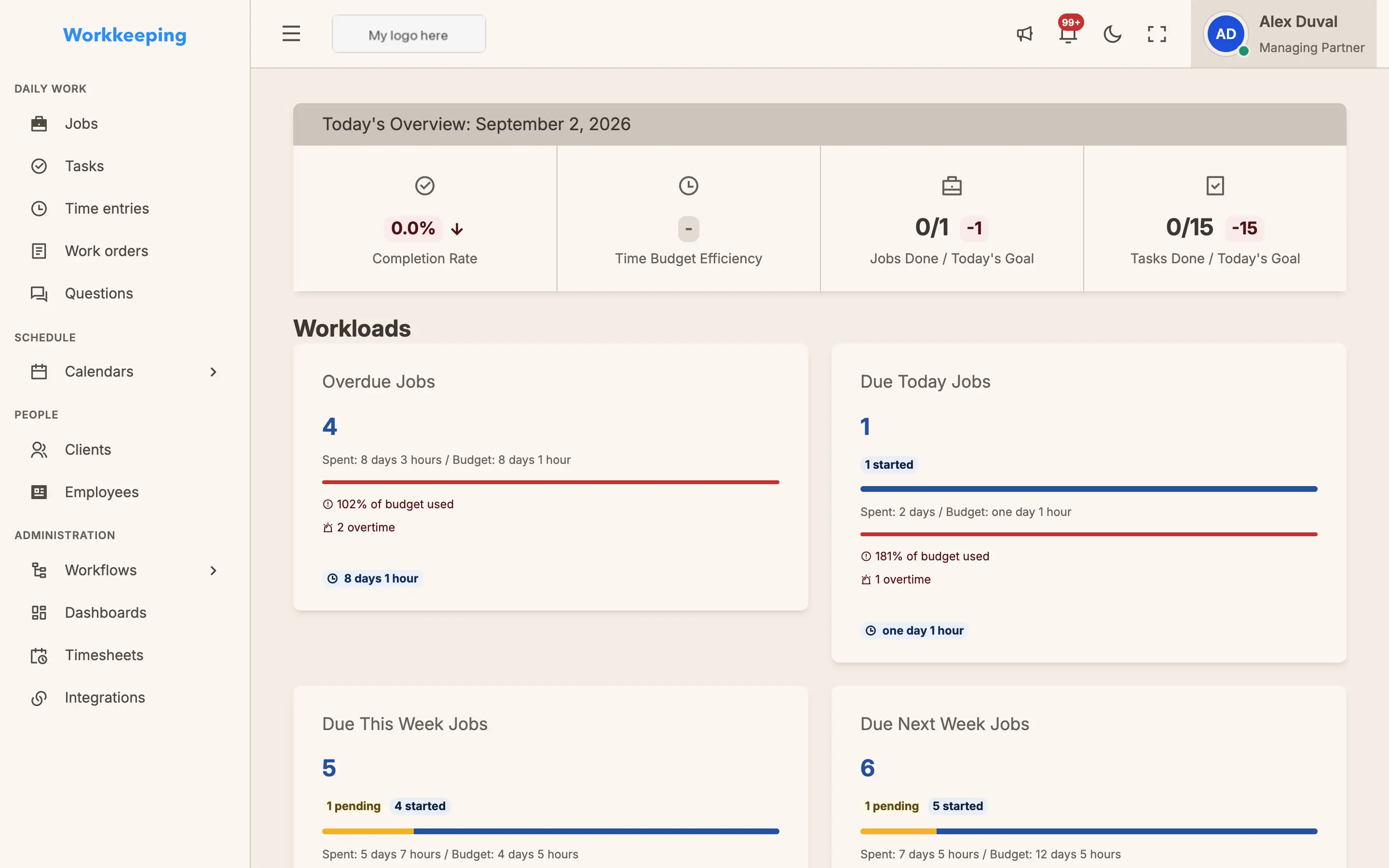
Never miss a deadline. See what's overdue, due today, and coming up — organized by urgency so your team knows exactly what to focus on.
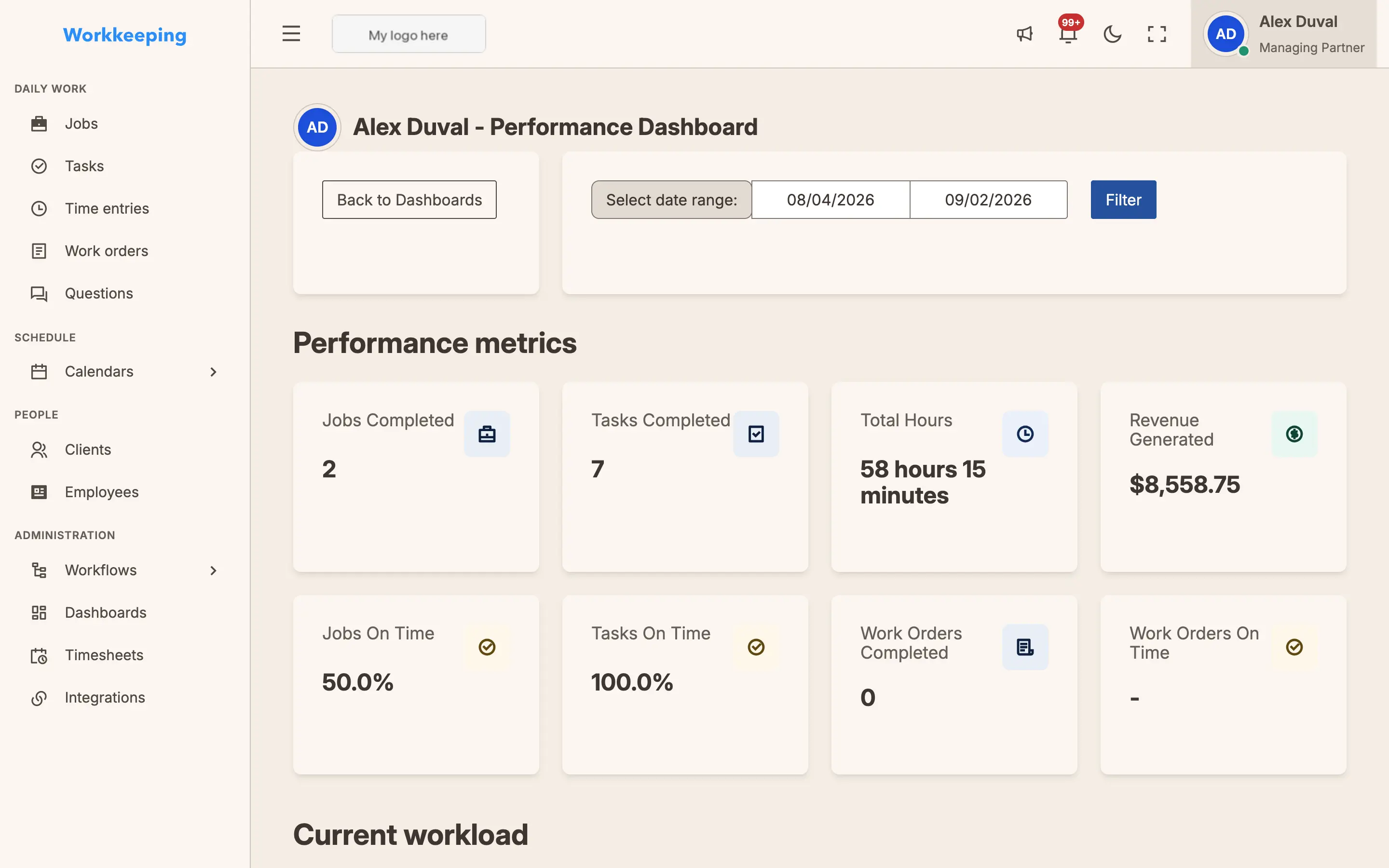
Employee Performance
Drill into any team member to see their capacity, on-time delivery, and forecast. Spot overloaded staff before deadlines slip.
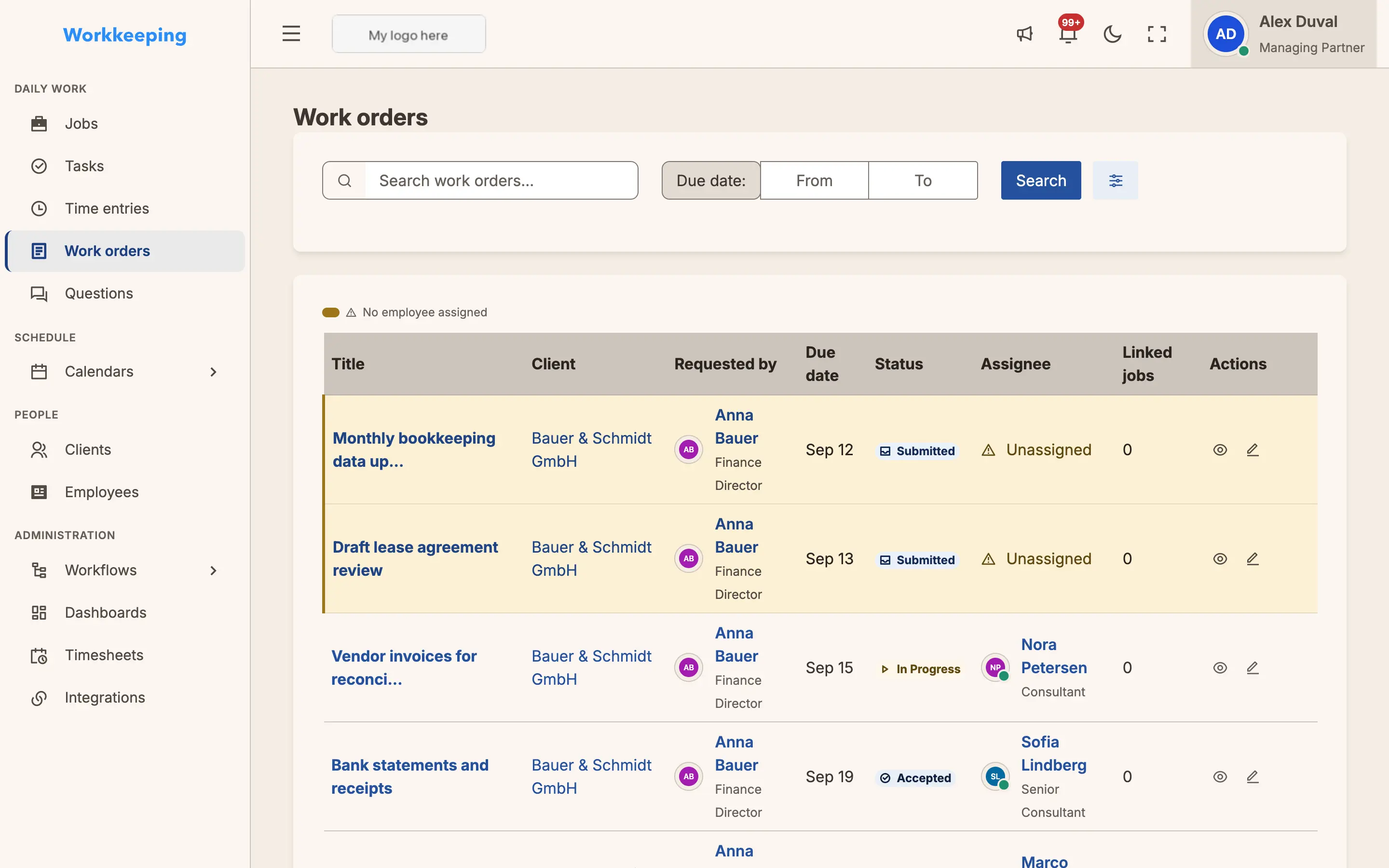
Clients submit requests directly through their portal. Your team reviews, accepts, and tracks each one — with full color-coded status visibility.
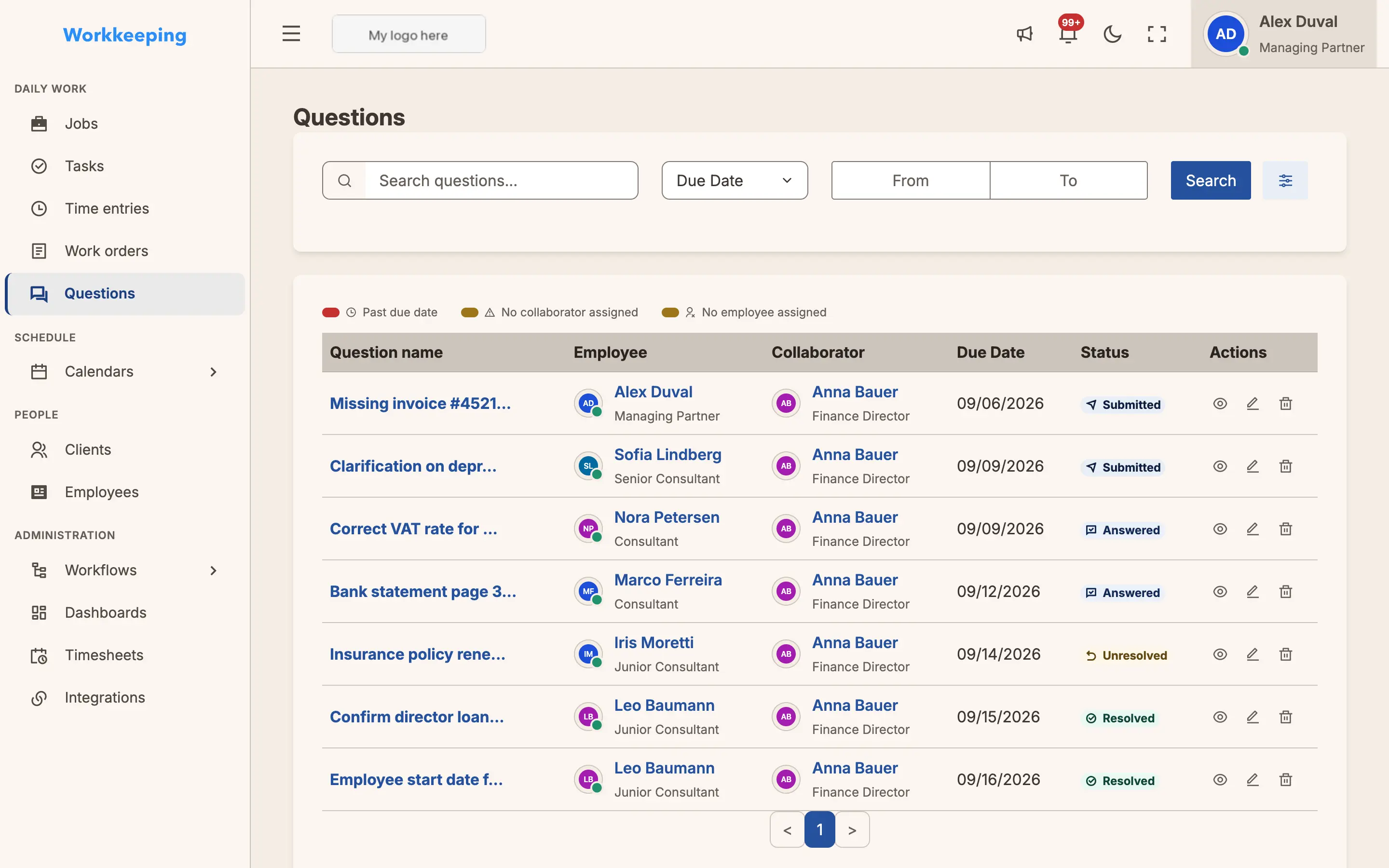
Client Questions
Ask clients questions directly from any task. Track submitted, answered, and resolved status — no more email chains or lost replies.
Ready to try it yourself?
See Workkeeping in action with your own firm. All features included.
Start My Free Trial